How it works
Booking a table in Dublin and Dubai with LastTable
LastTable is a free app for diners. It shows live tables, holds the one you pick while you confirm, and verifies you with a text message instead of an account.
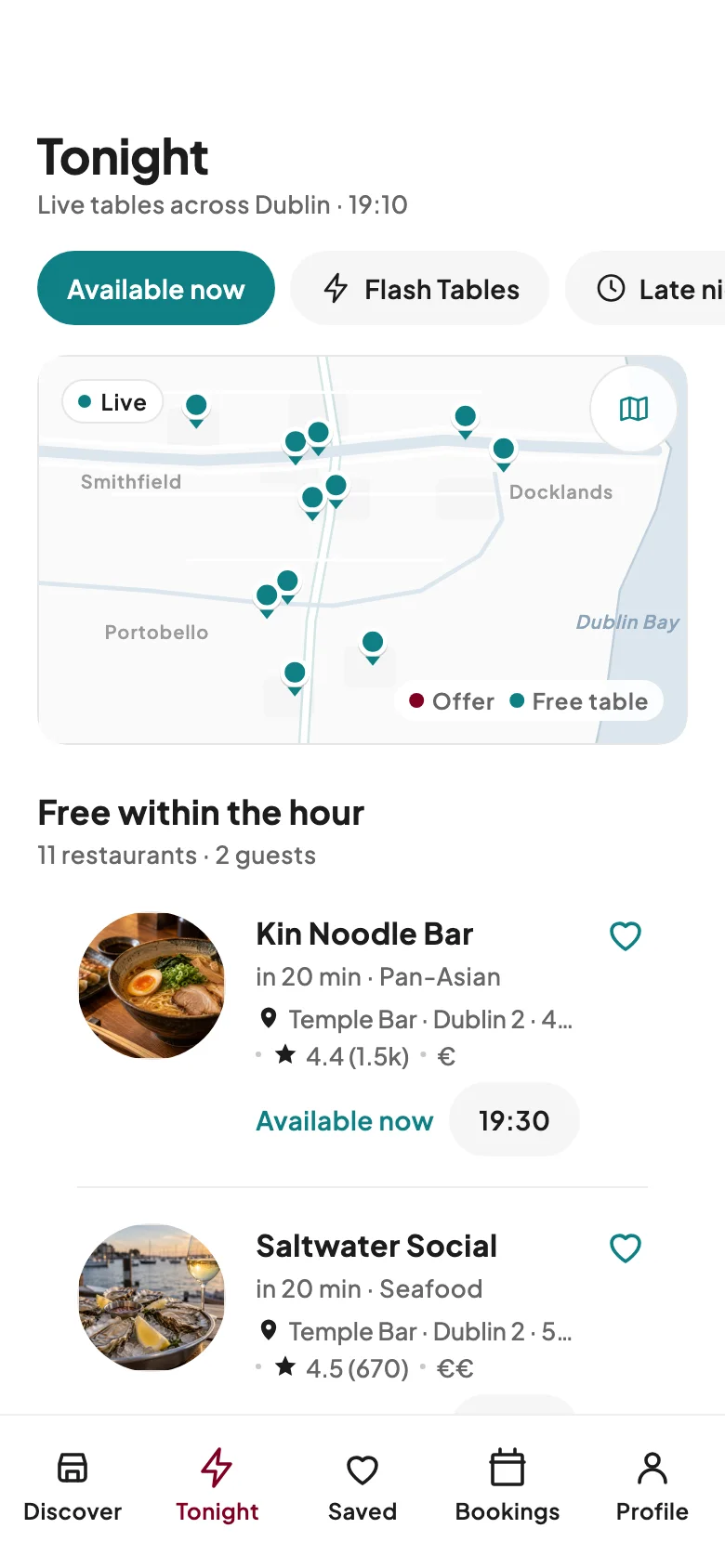
Step 1: Find a real free table tonight
Open Tonight or pick a time. Every time you see is a table the restaurant has free right now, straight from its own table plan.
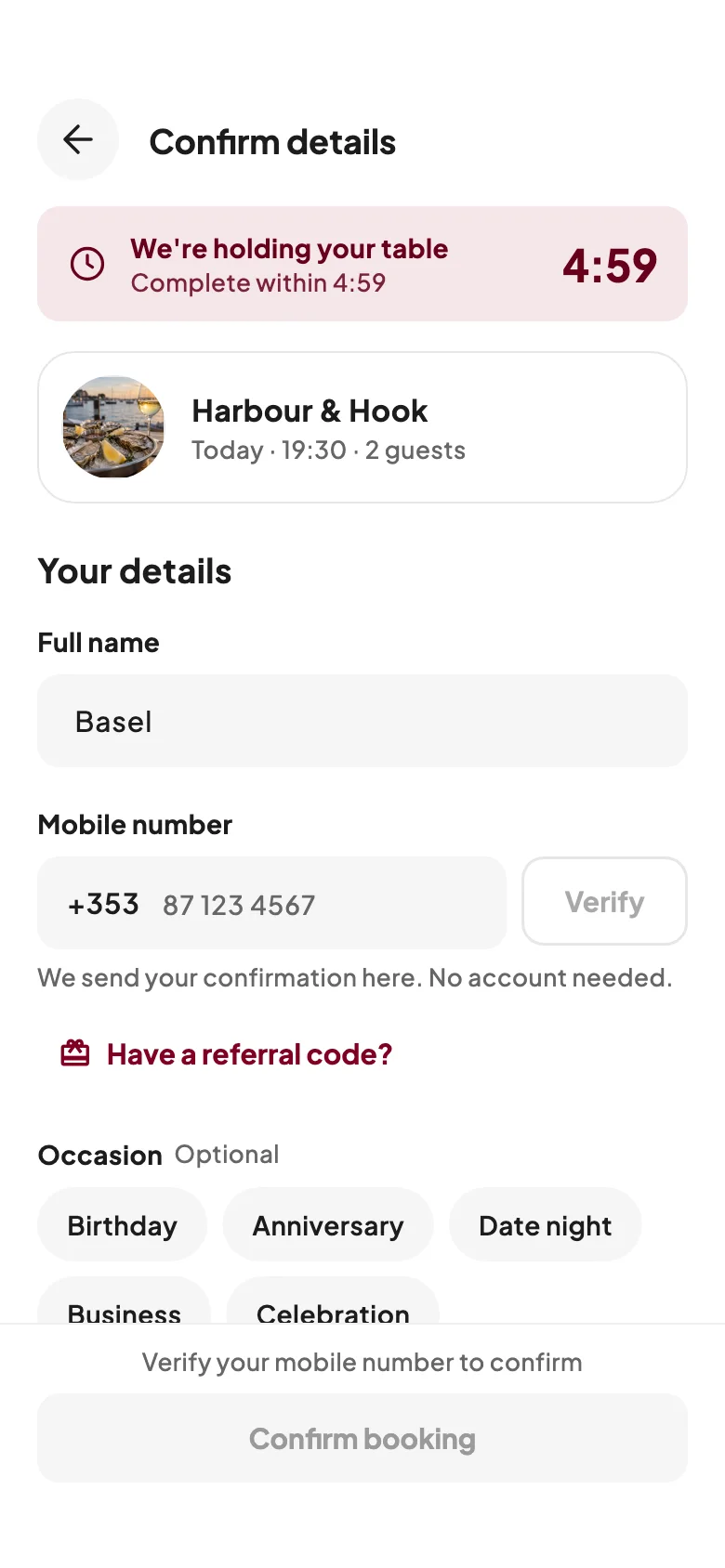
Step 2: Hold it for 5 minutes, book with your mobile
Tap a time and the table is held for you for 5 minutes while you confirm. Add your name and mobile number and enter the code we text you. No account, no password.
Step 3: Pick an offer, with the terms up front
Some restaurants run Flash Tables, 2-for-1 deals or student discounts. You see the terms before you book. For a student discount, show your student card at the restaurant.
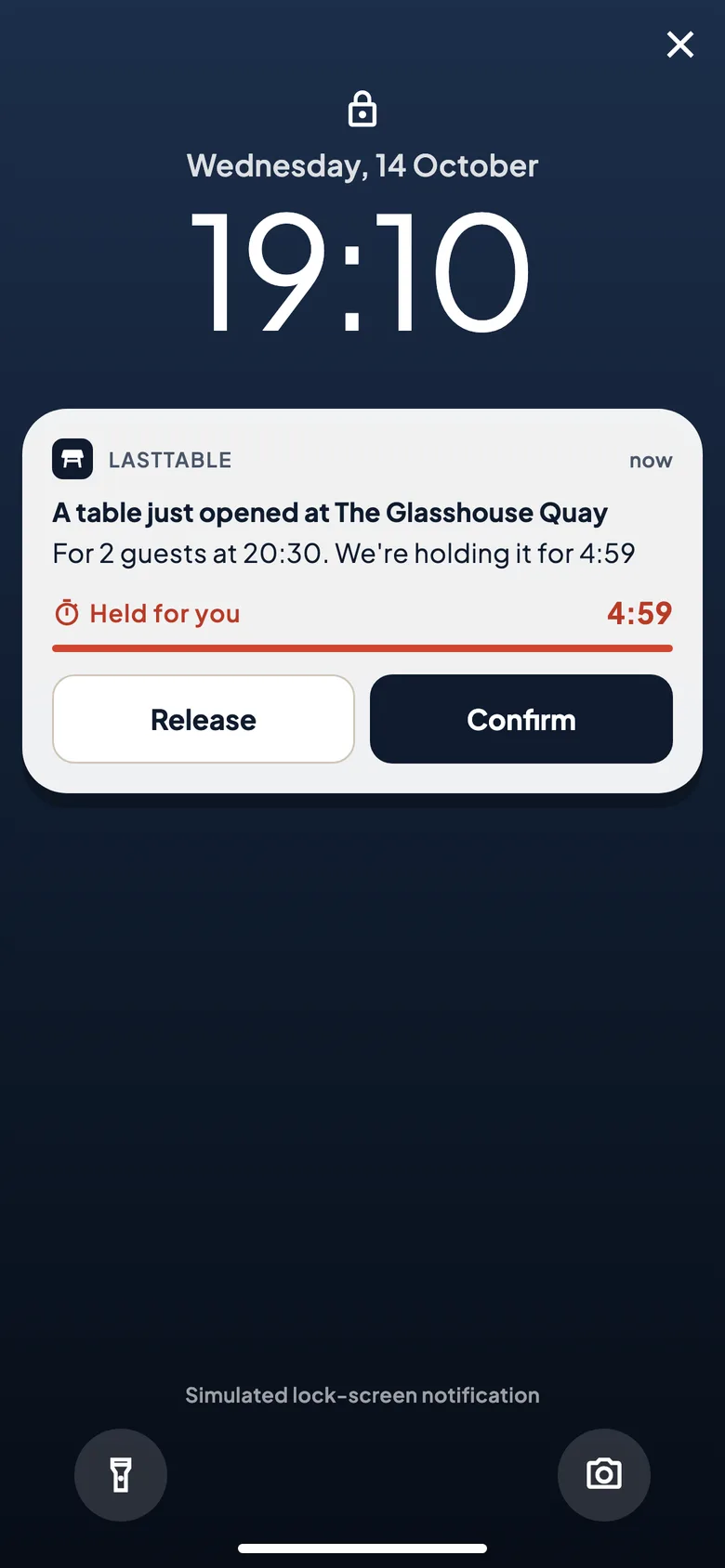
Examples only. Each restaurant sets its own offers and terms. Step 4: Full? Radar watches for you
Turn on Radar for a full restaurant, your party and a time window. When a table frees up, it is held for you for 5 minutes to confirm or let go.
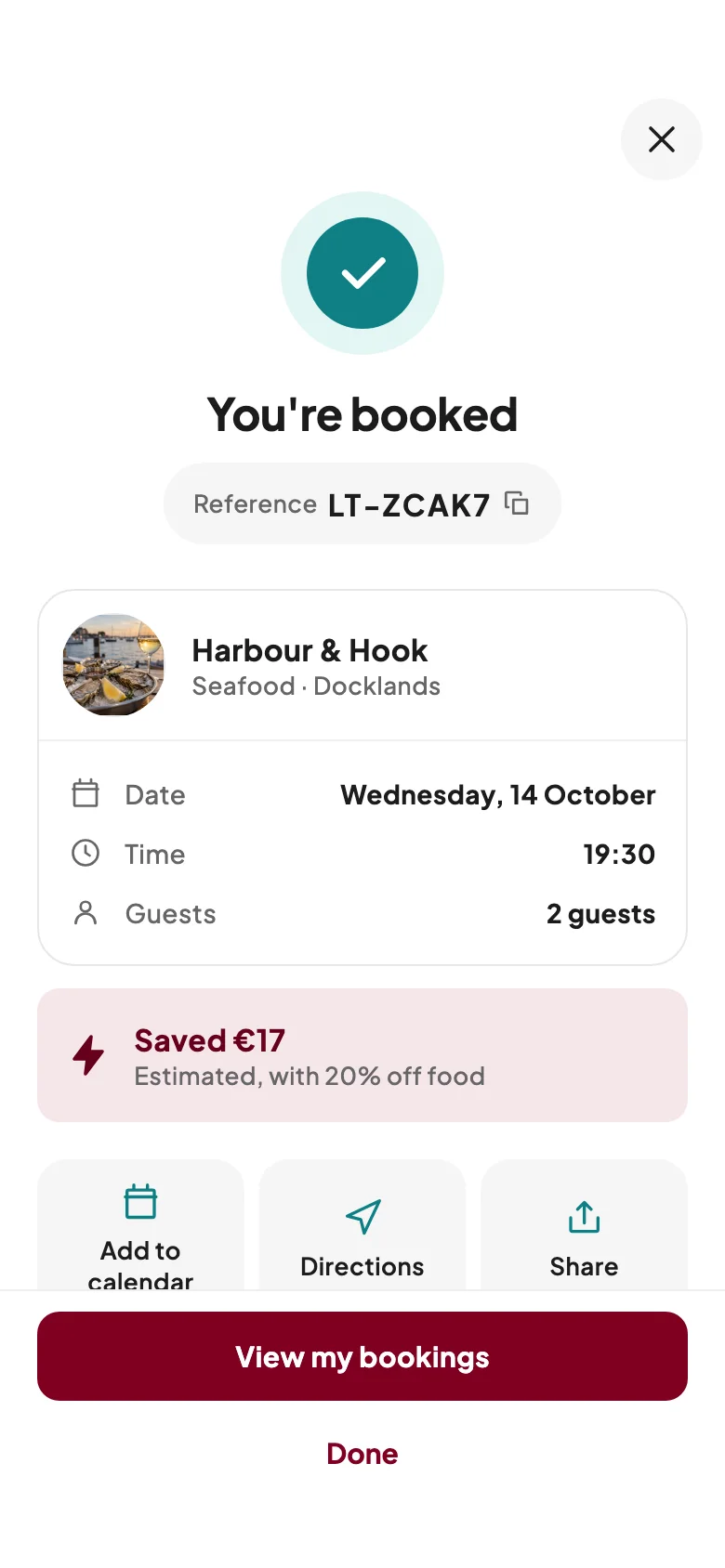
Step 5: Turn up and enjoy
Pay the restaurant as usual; if it asks for a deposit or a pre-order, you pay that securely in the app. Some bookings show an optional “I’ve arrived” button. We never use your location.
Also in the app
Offers, alerts and picks for you
- Flash Tables
- Offers restaurants set for times they want to fill: 10–25% off food or a free dessert, on a limited number of tables, with the terms shown before you book.
- For you
- Suggestions from your saved places and past bookings. Before you sign in, your taste profile stays on your phone. You can switch personalised picks off or clear them in the app.